Compare vendor bids from RFPs in minutes, not weeks
From spec to scored bids in three steps
Works with the PDFs you already have. No templates, no retyping.
Upload Baseline Specification
Drag and drop a PDF, or click to browse
Vendor Bid Comparisons
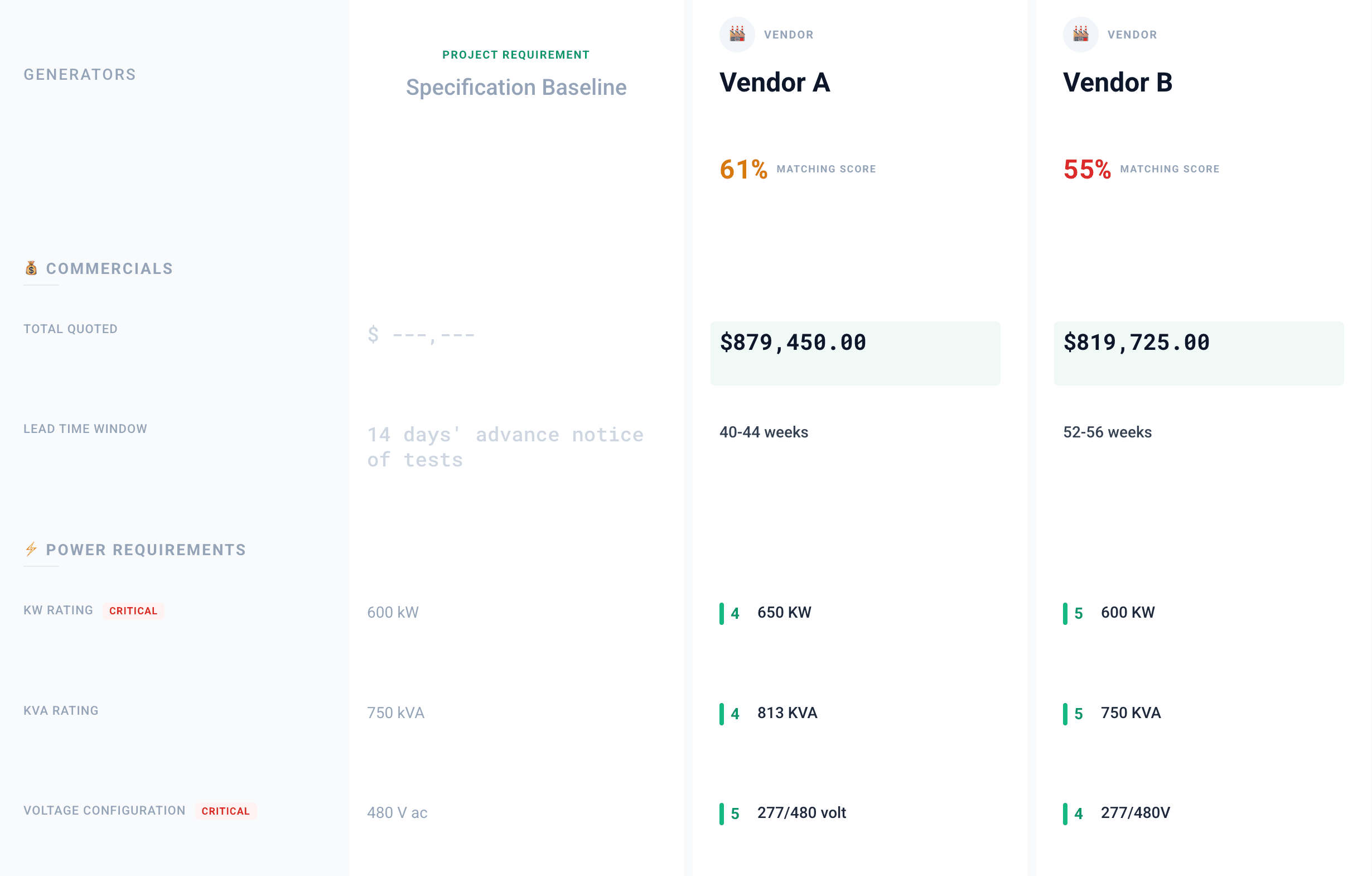
Compare vendor bids to the baseline specification and generate an AI generated report summarizing the best options.
Vendor C is the low bid, but it matches 38% of the spec, with 4 items missing or excluded.
Drop in the engineer's spec PDF, or pull it from Procore. Every requirement is extracted into a baseline you can review.
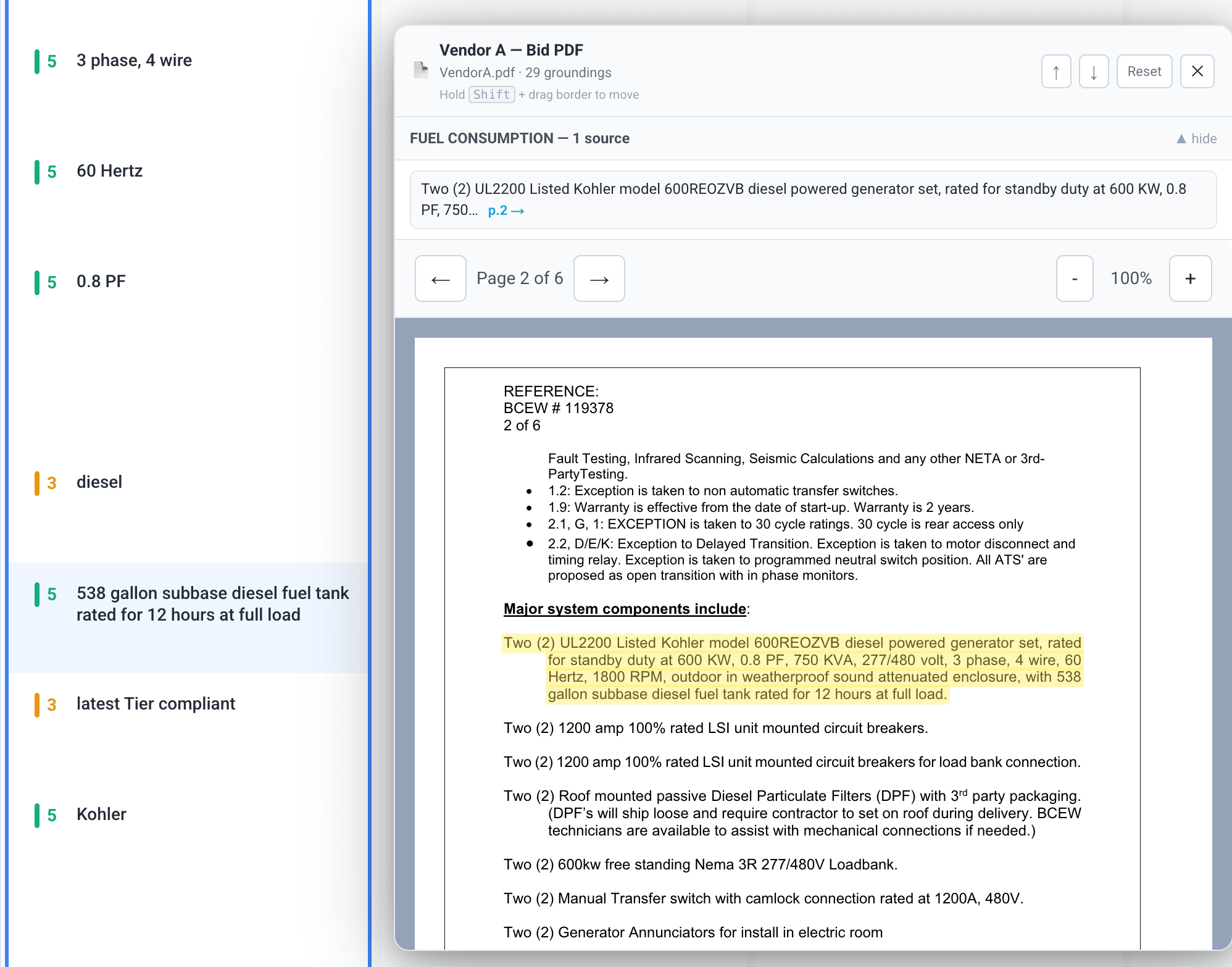
Every Value Links Back to the PDF
Hover any extracted spec or bid value to see exactly where it appears in the original PDF, highlighted on the page.
Your team checks the AI's work in seconds instead of taking it on faith, and can defend every score when a vendor pushes back.
- PDF highlights
- Spec & bid extraction
- 0–5 compliance grading
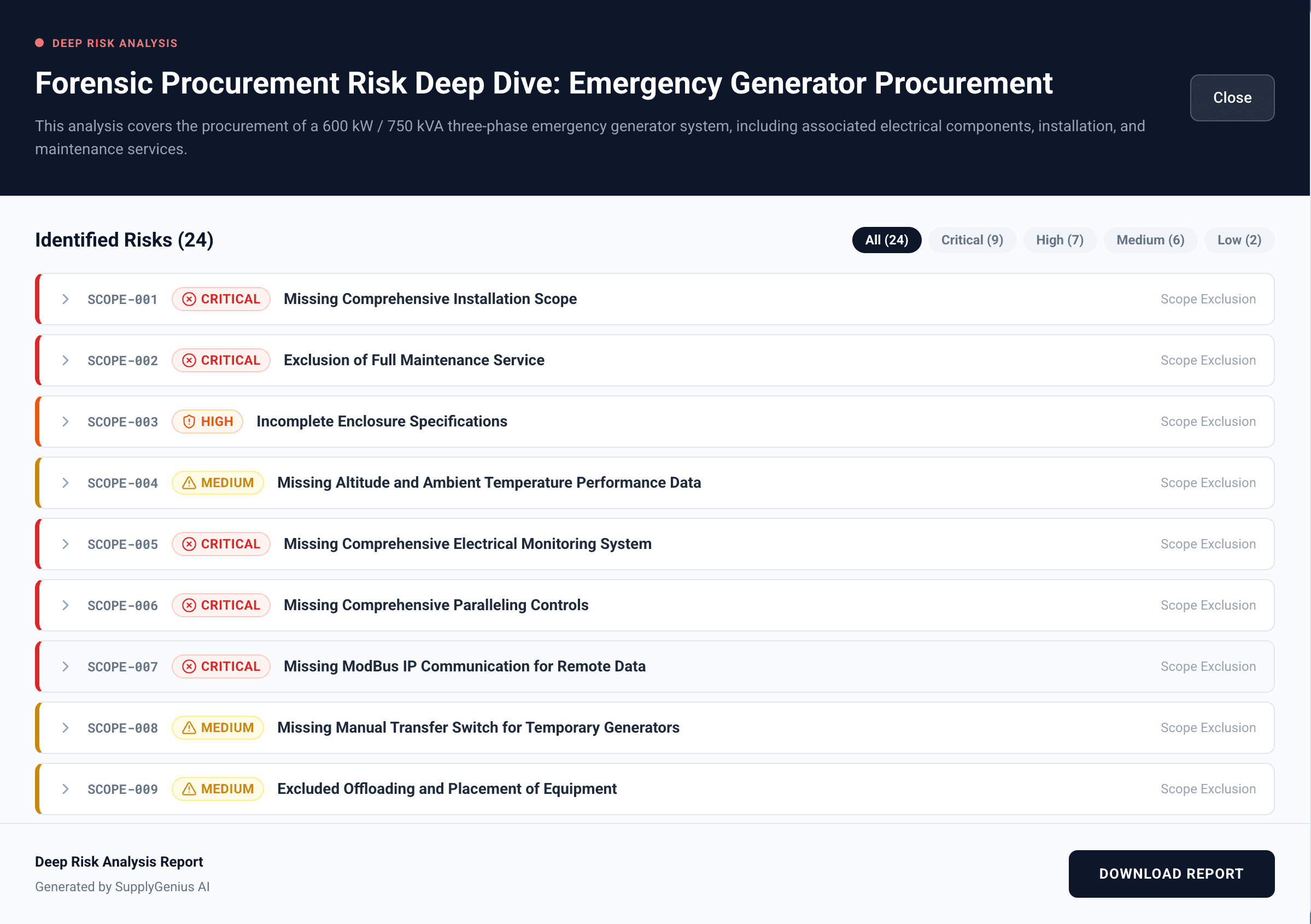
Catch Risks Before They Become Change Orders
Every bid hides exclusions, scope gaps, and non-compliant line items. SupplyGenius flags them before award so they never come back as change orders mid-project.
One missed exclusion can cost more than an entire year of bid leveling labor. Catching it once pays for the platform.
Reports That Defend Your Award Decision
Turn your leveled bids into comparison reports that summarize pricing, compliance, and flagged risks for owners and project leadership.
Every number traces back to the source bid, so when an owner or executive asks why a vendor won, your award decision defends itself.
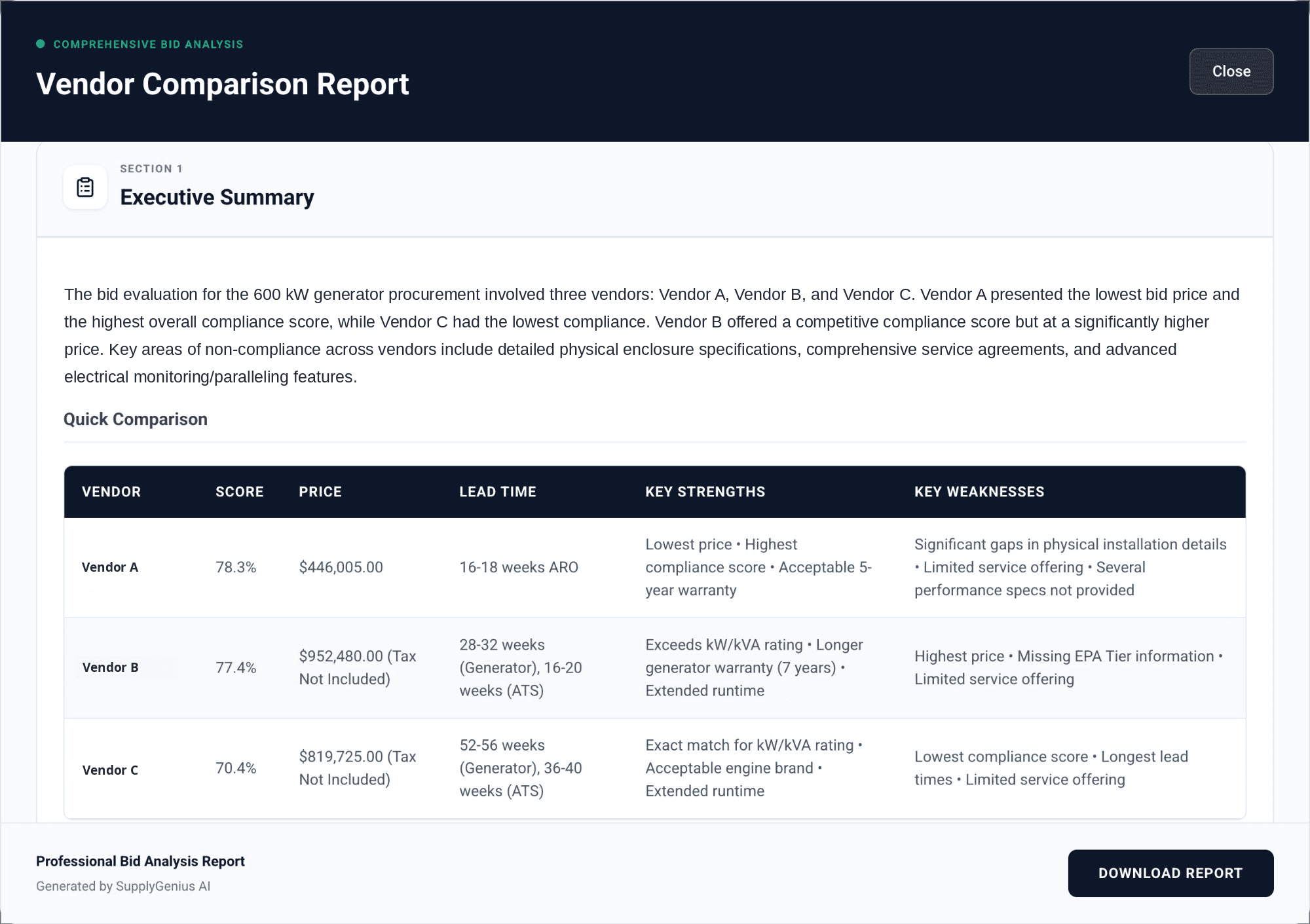
See it in action
Watch SupplyGenius level vendor bids against an engineer's spec, start to finish.
Works with Procore
Import baseline specs straight from your Procore project documents.